
Google Home MCP: third-party AI agents and your Nest
Google opened early-access Home MCP so agents like Claude can see Nest camera history and control permitted devices. Who should bother, who should wait, and a plain-language security checklist.
 Michael Narehood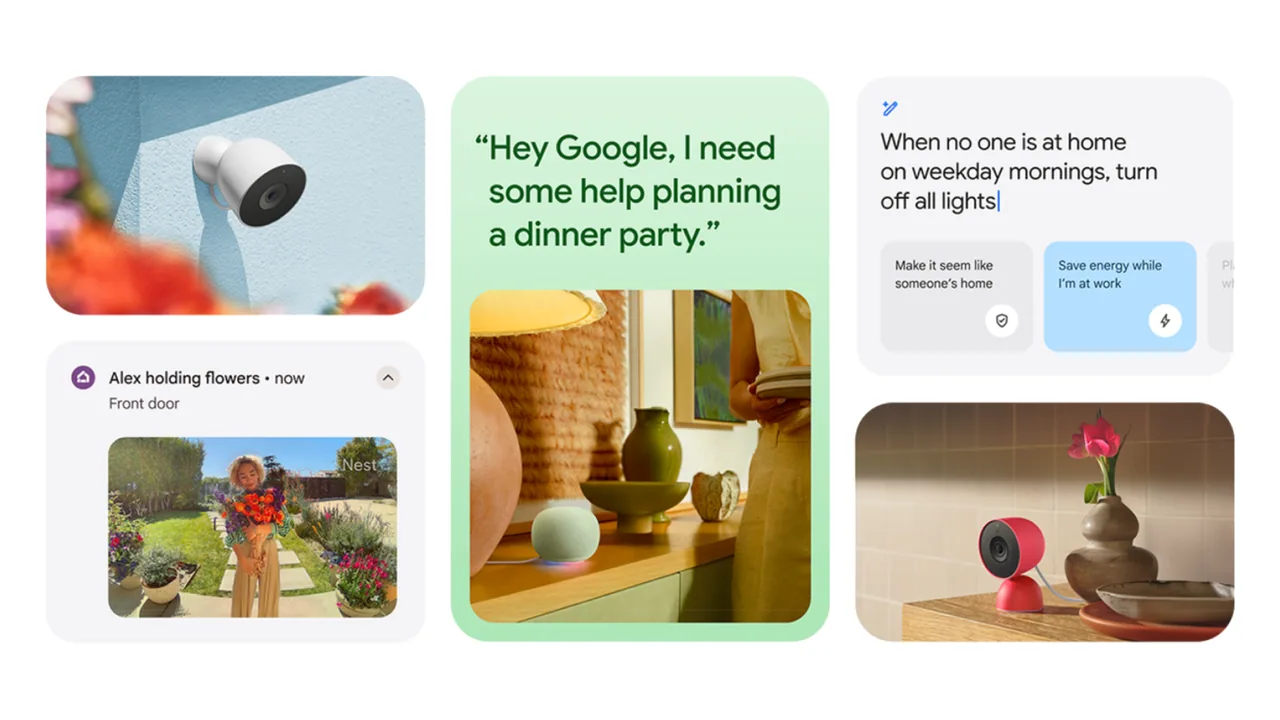
Google is letting third-party AI agents into the Google Home / Nest living room. The mechanism is Home MCP (Model Context Protocol): a server that MCP-capable agents can call to inspect device state, dig through event history, and run permitted actions on devices already in your Google Home structure.
If you already chat with something like Claude, Hermes, OpenClaw, ChatGPT-flavored agent setups, or Google’s own Antigravity tooling, the pitch is obvious. Ask what the cameras saw after school. Ask how long the porch light stayed on. Ask the agent to build a custom dashboard instead of poking through the Home app. Official starting point: Google’s Home MCP developer overview. Reputable coverage from The Verge, TechCrunch, and 9to5Google fills in the consumer gates Google put around the early access.
This is not “Gemini for Home got a new voice skin.” Gemini for Home remains Google’s in-app / speaker assistant story. Home MCP is a second control plane: your chosen agent talks to Google Home over MCP after you authorize it.
What it can do (in plain language)
Per Google’s Home MCP materials and the early-access reporting:
- See the structure: rooms, devices, and what is online.
- Read live state: is the house secured, are lights on, is that thermostat doing something weird.
- Act on devices: turn things on/off or run parameterized actions the platform allows.
- Search history: camera and device event history your subscription already stores, including cross-camera style questions when the data is there.
- Talk back through speakers: agents can send audio messages to Google Home speakers when a longer task finishes (reporting from The Verge / 9to5Google).
- Build a dashboard: natural-language UI for your house instead of a generic grid.
Supported gear is basically anything already in the Google Home ecosystem: Nest cameras and doorbells, Nest thermostats, and Matter / “Works with Google Home” devices such as bulbs.
The gates you cannot hand-wave
Early Access. This is not a finished mass-market toggle in the Home app. Expect rough edges and policy changes.
US English for now. Reporting is consistent that the rollout targets U.S. users on English. If you are outside that envelope, wait.
Google Home Premium Advanced. Access is tied to the expensive tier: about $20/month or about $200/year, the plan with longer event video history, richer notifications, searchable history, and daily summaries. Google has not promised a date for cheaper tiers or other countries (TechCrunch). If you are not already paying Advanced for camera history, do not buy the sub only because MCP sounds cool in a headline.
Setup is developer-shaped. You create a Google Cloud project, configure it for Home MCP, hand the MCP config to your agent, then complete an OAuth sign-in that grants permissions. Google points people at the Home Developer Center for the full onboarding flow. This is fine for tinkerers. It is a non-starter for a relative who still asks which app opens the thermostat.
Sensitive actions are blocked (with fine print). Google says Home MCP enforces rate limits and safety rules, including no unlocking doors. Coverage also describes blocks on other high-risk moves such as opening a garage or disarming alarms. Treat that list as “Google’s safety net,” not a reason to connect a sketchy agent. Google itself warns that depending on the agent, you can still get unexpected or undesired behavior, and tells people to read developer policies and terms carefully (9to5Google).
Automations are not the day-one story. Do not expect Home MCP early access to replace your existing routines / automations editor. If your life runs on schedules and presence rules, keep those where they already work until Google documents automation support you can verify yourself.
Who should bother vs who should wait
Bother if: you already pay for Premium Advanced, you already use an MCP-capable personal agent you trust, you are comfortable creating a Cloud project, and you have a concrete job (camera summaries across rooms, laundry / lights pattern questions, a custom dashboard). You are willing to revoke access the first time the agent does something weird.
Wait if: you only have a couple of bulbs and a speaker, you are not on Advanced, you are outside US English, or the words “OAuth” and “Cloud project” make you close the tab. Gemini for Home and the normal Home app still control the house. Missing MCP this month is not a security emergency.
Definitely wait if: someone on the internet DM’d you a random agent binary and said it “unlocks Nest with AI.” That is how you lose a house to curiosity.
Security checklist (do this before you connect anything)
- Confirm the subscription and region match what Google is actually rolling out. Do not debug OAuth failures that are really entitlement failures.
- Use an agent you already trust for mail/files, not a brand-new Discord bot with a GitHub star count of twelve.
- Read the permission screen. Grant the minimum the agent needs. If it asks for the world, stop.
- Prefer a dedicated Google account posture if you already separate “smart home” from “bank and taxes.” At minimum, know which account owns the Home structure.
- Review and revoke. After setup, know where to disconnect the OAuth client / agent. Practice leaving. Exits matter more than entrances.
- Assume lights and cams are in scope; assume locks are not a toy. Even with Google’s sensitive-action blocks, an agent that can watch cameras and toggle climate is already intimate access.
- Keep family informed. Roommates and partners should know an external AI can summarize doorbell clips before someone asks the agent a question that surprises the house.
Do this / don’t do that
Do this: start with read-only style questions (history, state) before you let the agent flip half the house. Keep a non-AI path (Home app, physical switches) for lights and climate.
Don’t do that: do not paste MCP configs into random web forms. Do not connect three agents “for science” on day one. Do not confuse Home MCP with Home Developer MCP (the docs server for coding against Google Home APIs). Different audience, different risk.
Bottom line
Home MCP is a real early-access bridge between personal AI agents and Nest / Google Home devices, documented by Google and gated behind Premium Advanced, US English, Cloud project setup, and OAuth. Useful for tinkerers who already live in agent land. Optional for everyone else. Sensitive actions like unlocking doors are supposed to stay blocked, automations are not the headline yet, and the security model still depends on which agent you invite. If that sentence makes you nervous, wait. Your lights will still turn on the old way.
Image: Google Nest / Home blog social art (GoogleHome_Social from storage.googleapis.com gweb-uniblog).


