Paint CVE-2026-83844: update via Microsoft Store
A fix for CVE-2026-83844 in Microsoft Paint is in the Microsoft Store as build 11.2609.401.0. Windows Update does not deliver it. How home users update Paint and verify the version on every Windows account.

If you use Paint on Windows at home, a normal Windows Update pass is not enough for this one. On November 6, 2026, The Hacker News reported that the fixed Paint build for CVE-2026-83844 is available in the Microsoft Store as 11.2609.401.0. That Store app update is the delivery path. Windows Update does not install it.
So a PC that looks fully patched can still be running an older Paint. Treat Paint like any other Store app: open the Store, pull updates, then prove the version yourself.
What CVE-2026-83844 is
Microsoft’s Security Update Guide entry for CVE-2026-83844 covers a remote code execution issue in Microsoft Paint. Microsoft rates it Important, with a CVSS score of 8.1 (The Hacker News summary of the advisory, November 6, 2026).
The Hacker News coverage on November 6, 2026 summarizes the practical part for home PCs:
- The flaw is an out-of-bounds read that could let an attacker run code over a network.
- Microsoft published the CVE on October 13, 2026.
- The fixed build in the Store is 11.2609.401.0.
- That build showed up as the newest Paint version in the countries The Hacker News checked on November 6.
- Microsoft lists no workaround. The fix is the Store update.
Do not invent a wild exploitation story from headlines. The Hacker News reported that the issue was not listed in CISA’s Known Exploited Vulnerabilities catalog when they checked on November 6. That can change later. The home-user job stays the same: get Paint onto the fixed build.
Which Paint build counts as fixed
Aim for Paint 11.2609.401.0 or later. That is the build Microsoft’s advisory names for the fix, and it is the build now showing in the Store according to November 6 reporting.
There is a messy detail worth reading once so scanners do not confuse you:
- The advisory / update-guide side names 11.2609.401.0 as the fixed build.
- The public CVE record (and the matching NVD entry) still describes Paint as affected below 11.2605.91.0.
Those numbers do not line up cleanly. A tool that only reads the older CVE floor might treat some mid-range builds as fine. For your own PC, ignore that mismatch and aim for 11.2609.401.0 or newer. That build clears both thresholds.
How to update Paint on a home PC
- Open the Microsoft Store app (not the Windows Update page in Settings).
- Open Library, then choose Get updates.
- If Paint appears in the update list, let it finish. If it does not appear, open the Paint listing in the Store and update from there.
- Fully quit Paint if it was open, then open it again.
- Check the version (see the next section).
- If your PC has more than one Windows account (kids, partner, a guest profile you actually use), sign into each account and repeat. Paint is installed per user. Updating one account does not automatically update the others.
Store auto-update may eventually pull the build for you. Do not wait on that hope if you can check today. The Hacker News note also makes clear that availability can move at different speeds on different machines even after the fixed build is in the catalog.
How to verify the Paint version
In Paint
- Open Paint.
- Open Settings (gear) and look for the version / about information for the app.
- Confirm the version is 11.2609.401.0 or later.
With PowerShell (current signed-in account)
- Right-click Start and open Terminal or Windows PowerShell.
- Run:
Get-AppxPackage -Name Microsoft.Paint | Select-Object Name, Version- Read the Version column. You want 11.2609.401.0 or newer.
If the number is lower (for example a 11.2605.x or 11.2603.x build), go back to the Store and update again, then re-check. Compare the middle segment first when you are unsure: 2609 is newer than 2605 or 2603.
On a shared family PC, check every account you care about. A signed-in-only check on your profile can miss an older copy on another profile.
Do this / don’t do that
Do
- Update Paint from the Microsoft Store, then confirm 11.2609.401.0 or later.
- Check each Windows account on a shared PC.
- Keep normal Windows Update habits too. This Store fix does not replace OS patches, and OS patches do not replace this Store fix.
Don’t
- Do not assume “Windows is up to date” means Paint is fixed.
- Do not stop at an older Store build just because a scanner waved at the 11.2605.91.0 CVE floor.
- Do not download random “Paint updater” tools from third-party sites. Use the Microsoft Store.
Bottom line
CVE-2026-83844 is an Important Paint remote code execution issue (CVSS 8.1). The fix home users can install today is Paint build 11.2609.401.0 (or later) from the Microsoft Store, not from Windows Update (The Hacker News, November 6, 2026). Open Store > Library > Get updates, verify the version in Paint Settings or with Get-AppxPackage -Name Microsoft.Paint, and repeat on every Windows account you use. A fully patched Windows PC can still be running vulnerable Paint until that Store update lands.
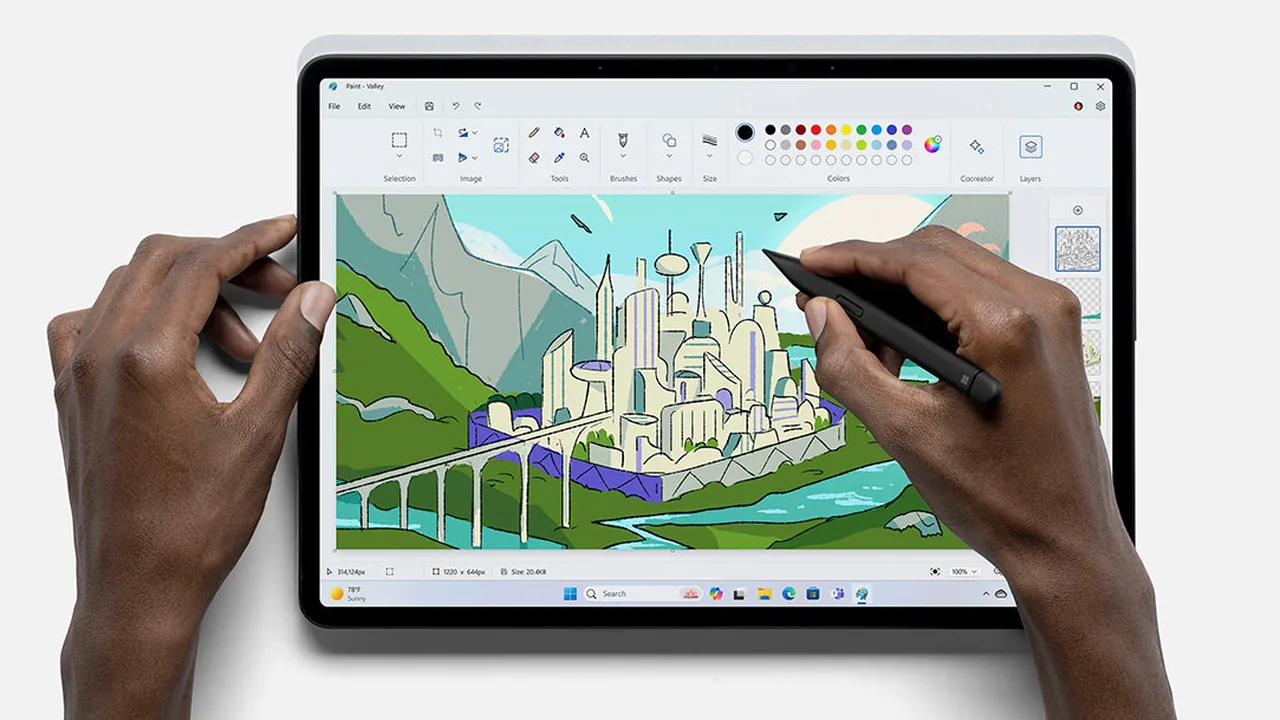
Image: Official Microsoft Paint marketing photo from microsoft.com/windows/paint.