
watchOS 27 kills Digital Crown double-click app switching
watchOS 27 removes the Digital Crown double-click jump between apps. Series 12 and Ultra 4 reserve it for Live Rewind later; older watches lose the gesture and get nothing back. What changed and what to do.
 Michael Narehood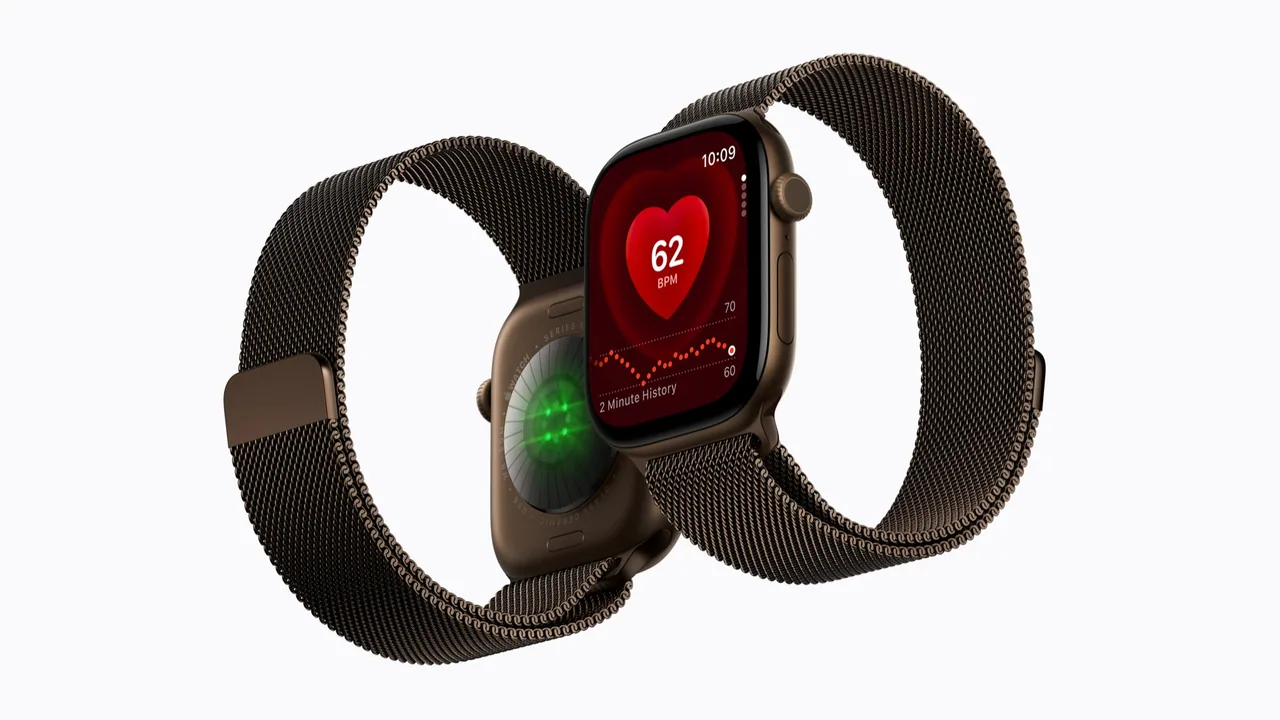
watchOS 27 shipped on September 14, 2026 with the usual parade of health and Audio Intelligence headlines. Buried under that is a muscle-memory break: double-clicking the Digital Crown no longer jumps between your current app and the previous one (or between the watch face and the last app). That gesture used to be one of the fastest ways to multitask on a tiny screen without hunting for icons.
Apple did not add a Settings toggle to bring it back. This is a short PSA for people who already updated, or who are about to unbox Apple Watch Series 12 or Ultra 4 on September 18. Primary reporting: MacRumors PSA on the removed feature. Hardware context: Apple’s Series 12 Newsroom post and the matching Ultra 4 launch materials.
What actually changed
On watchOS 26, a Digital Crown double-click was an app switcher shortcut. Current app to previous app. Watch face to last app. Fast, eyes-up, useful on a run when you bounce between Workout and Music.
On watchOS 27, that double-click no longer switches apps. It opens the same dynamic app grid you already get from a single crown click. Two clicks, one redundant result. If your fingers still fire the old habit, you will feel slightly gaslit for a week.
Who is affected (spoiler: almost everyone on 27)
Older watches that can run watchOS 27 lose the app-switch gesture anyway. Live Rewind, the feature that is supposed to “replace” that double-click later, is hardware-bound to Series 12 and Ultra 4. So older hardware loses a useful shortcut and does not get the new Audio Intelligence party trick in exchange. That is the part that feels unfair, not just “new UI, get used to it.”
Series 12 and Ultra 4 owners (arriving September 18, with preorders already open per Apple) will eventually use crown double-click for Live Rewind: a transcript of spoken audio the watch picked up in roughly the last 15 seconds, arriving later this year as part of Audio Intelligence. Until that ships, and even after it ships, the old app-switch behavior is gone on those models too. Apple reserved the gesture for Live Rewind.
If you stayed on an older watchOS build only to keep the gesture, that is your call. I would not skip a security-minded OS update forever for one shortcut. I also will not pretend Apple handled the transition gracefully.
Live Rewind privacy note (for buyers who do not want it)
Live Rewind is useful if you missed a gate announcement or a mumbled name in a meeting. It is also a feature that listens to nearby audio long enough to build a short transcript when you invoke it. If that creeps you out, you are not being dramatic. Apple’s design problem is that it stole a neutral multitasking gesture for a privacy-sensitive feature, then offered no “keep double-click as app switch” option for people who want nothing to do with Live Rewind.
Until Apple adds a control (if it ever does), treat Live Rewind as something you enable and understand, not as a free bonus with zero tradeoffs. Read Apple’s privacy labels and Audio Intelligence footnotes when the feature actually appears on your watch. Do not assume “it is off” just because you never opened a settings pane that does not exist yet.
What to do instead
Send feedback. Apple Feedback (or the Watch feedback path from the paired iPhone) is the boring adult move. Ask for a Digital Crown action picker: app switch vs Live Rewind vs do nothing. Enough polite tickets beat quote-tweeting into the void.
Rebuild the muscle memory with careful taps. Single crown click still opens the app grid. From there, tap the app you need. On a workout, consider complications or the Smart Stack so Music and Workout are one deliberate tap away instead of a blind double-click. It is slower. It works.
Do not chase third-party “fixes.” There is no secret Accessibility toggle restoring the old behavior as of this writing. Anything claiming otherwise is either outdated for watchOS 26 or nonsense.
Buying Series 12 / Ultra 4? Factor this into the unboxing mood. You are getting the Health Sensing System and S11 story we already covered. You are not getting the old crown multitasking trick. If Live Rewind is a reason to buy, great. If you hate the idea of short ambient transcripts, know the gesture is still reserved either way.
Do this / don’t do that
Do this
- Update when you are ready for watchOS 27’s other fixes and features, then spend one evening relearning Music ↔ Workout without the crown double-click.
- File feedback asking for a toggle.
- If you buy Series 12 or Ultra 4, decide up front whether Live Rewind is something you want in the house before it appears later this year.
Don’t do that
- Do not assume older watches keep the gesture because they cannot run Live Rewind. They lose it anyway.
- Do not rage-reset the watch looking for a missing setting. Apple is not hiding a toggle behind erase-all-content.
- Do not skip every watchOS 27.x update forever solely for nostalgia. Patching still matters on a device that holds health data and unlock keys.
Bottom line
watchOS 27 retired a small but genuinely useful Digital Crown double-click app switch. Series 12 and Ultra 4 earmark that gesture for Live Rewind later this year. Everyone else on watchOS 27 loses the shortcut and does not get Live Rewind. Apple offers no setting to opt out. Relearn the tap path, send feedback, and if you are buying new hardware, be honest with yourself about whether a short audio transcript feature is a selling point or a privacy headache you never asked to inherit.
Image: Apple Newsroom press photo (Apple Watch Series 12, from introducing Apple Watch Series 12, Sept 2026).


