Broadcom WPSplinter: what home Wi-Fi users should know
Researcher Quentin Kaiser disclosed a long-lived Broadcom WPS bug on October 16, 2026 that can let a nearby attacker take over some home gateways without the Wi-Fi password. What it means, what is confirmed, and what a household can do.


Most home Wi-Fi advice assumes the attacker needs your password, or at least a WPS button press. On October 16, 2026, security researcher Quentin Kaiser presented research at the Hexacon conference in Paris that breaks that assumption for some Broadcom-based routers and ISP gateways.
Kaiser calls the issue WPSplinter. It is a researcher-assigned name, not an official CVE. Broadcom declined to assign a CVE. The public summary lives on qkaiser.github.io/broadcom-wps, and the long technical write-up is One Parser, Two Bugs, Many Routers. The Register has independent coverage.
This piece is for a normal household. If your ISP gave you the gateway, or you bought a Broadcom-based router years ago and never thought about firmware again, read the practical parts. Skip the exploit geekery.
What the research says, in plain language
Broadcom’s legacy WPS Monitor code mishandles reassembled WPS setup messages. Kaiser says the bug has been in Broadcom’s software since at least 2010, and a 2018 fix was incomplete. An attacker who is within Wi-Fi range can reach that parser without knowing the network password and without completing a normal WPS enrollment.
On vulnerable devices, Kaiser demonstrated:
- Controlled memory disclosure
- Arbitrary code execution with full control of the device
- On an Orange Belgium gateway, code that read the Wi-Fi password and sent it back over the air, which he then used to join the network
- On a Proximus gateway, a remote shell carried over Wi-Fi frames
The attacker still has to be nearby in radio terms. This is not an “anyone on the internet can own your router” claim. It is a “someone across the street or in the next apartment could, on affected gear” claim, and Kaiser notes the attack works over long distances. The Register reports that Kaiser has not reported evidence of attacks in the wild. The working demos are his own.
What is confirmed (and what is not)
Kaiser’s public device list includes models from many vendors (ARRIS, Askey, Cisco small-business APs, Netgear cable gateways, Nokia, Sagemcom, Technicolor, TP-Link, ZTE, and others). Evidence and firmware coverage vary by model. A chipset match alone does not prove your exact firmware is vulnerable.
He showed the flaw is present and exploitable on gateways from three of Belgium’s four big ISPs:
- Orange Belgium: Askey TCG3000
- Proximus: Sagemcom-built BBOX3V+
- VOO: Netgear CG3100 / CG3700, Technicolor TC7210, CGA4233
As of October 15, 2026, he said those tested Belgian devices were still unpatched. Telenet may be affected through some Sagemcom F@st models, but he could not test one. His rough estimate is about 1.56 million affected gateways across those three ISPs, which he describes as napkin math with medium confidence, not audited fleet counts.
Older eCos-based Broadcom platforms (BCM3380 / BCM3383 / BCM33834) are framed as a likely “forever day” with no clean migration path. Newer Linux-based platforms (BCM3390, BCM63xx, BCM65xx, BCM68xx) might be fixable if OEMs move off the legacy WPS Monitor stack to something like hostapd. Device owners still need a firmware update from the OEM or the ISP. There is no Broadcom consumer “click here to patch” button.
What you can do at home
There is no universal toggle Kaiser points to that fully blocks the attack over the air. Do not assume “disable WPS in settings” removes the vulnerable parser. Kaiser warns a settings toggle may not remove or fully disable the vulnerable code.
Practical steps for a household:
- Identify your gateway. Look at the sticker on the ISP modem/router or the admin page. Compare the model name to Kaiser’s affected-device list. A match is a reason to ask your ISP, not a guaranteed compromise.
- Ask your ISP or router vendor. Tell them you are asking about the Broadcom WPS EAP fragment issue disclosed October 16, 2026 (WPSplinter, presented at Hexacon). Ask whether a firmware update for your exact model addresses it, and when it will be pushed.
- Prefer gear that still gets firmware. If your ISP gateway is on an end-of-life Broadcom eCos chipset and the ISP will not replace it, ask for a modern replacement. Buying your own supported router (and putting the ISP box in bridge mode when the ISP allows it) is often the cleanest long-term fix.
- Keep the admin password unique. That does not stop this over-the-air bug, but it stops the next boring attack after someone joins your network.
- Do not expose router admin to the internet. No remote management from “anywhere,” no UPnP games that open the admin UI. This bug is local-radio, but open WAN admin is a different own-goal.
- Segment guests and IoT when you can. Guest Wi-Fi does not patch WPSplinter on the access point itself. It still helps after a device on your LAN is compromised. See our guest and IoT Wi-Fi at home note.
If you are not in Belgium, do not shrug. The Belgian demos are concrete proof of concept. The shared Broadcom component ships in products used worldwide. Kaiser’s list already spans many countries and ISPs.
What not to do
- Do not panic-buy the first “secure router” ad you see without checking that the seller still publishes firmware.
- Do not run random “router checker” executables from unverified sites. Kaiser published YARA rules and a fingerprinting script for people who know what they are doing. Most households should start with the model sticker and an ISP ticket.
- Do not wait for a CVE number or a Broadcom patch notice. Broadcom declined to assign a CVE, and as of disclosure the tested ISP gear was still unpatched.
- Do not treat “I turned WPS off years ago” as a receipt. Ask the vendor.
Bottom line
On October 16, 2026, Quentin Kaiser disclosed a long-lived Broadcom WPS parser bug that can give a nearby attacker code execution on some home gateways without the Wi-Fi password (public summary, technical post). Check your gateway model against the published list, ask your ISP or vendor for a firmware answer, and replace gear that will never get one. That is the home-user job until OEMs and ISPs actually ship fixes.
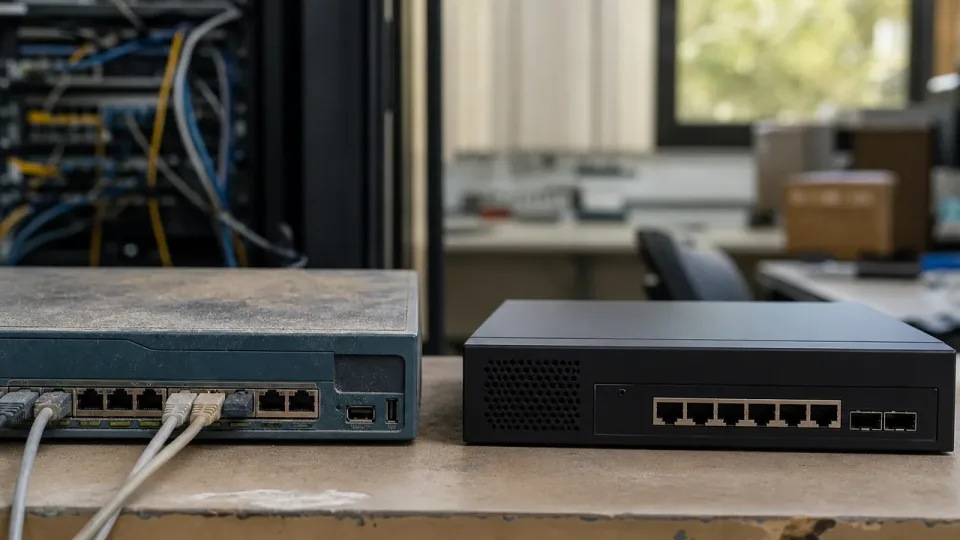
Image: Header photo from Quentin Kaiser’s WPSplinter research post (photo by Hasan Almasi on Unsplash).