Touchscreen MacBook Pro: day-one buyer notes
Apple's touchscreen MacBook Pro with PROLED XDR arrives November 6, 2026: prices, fit, and pickup checks.

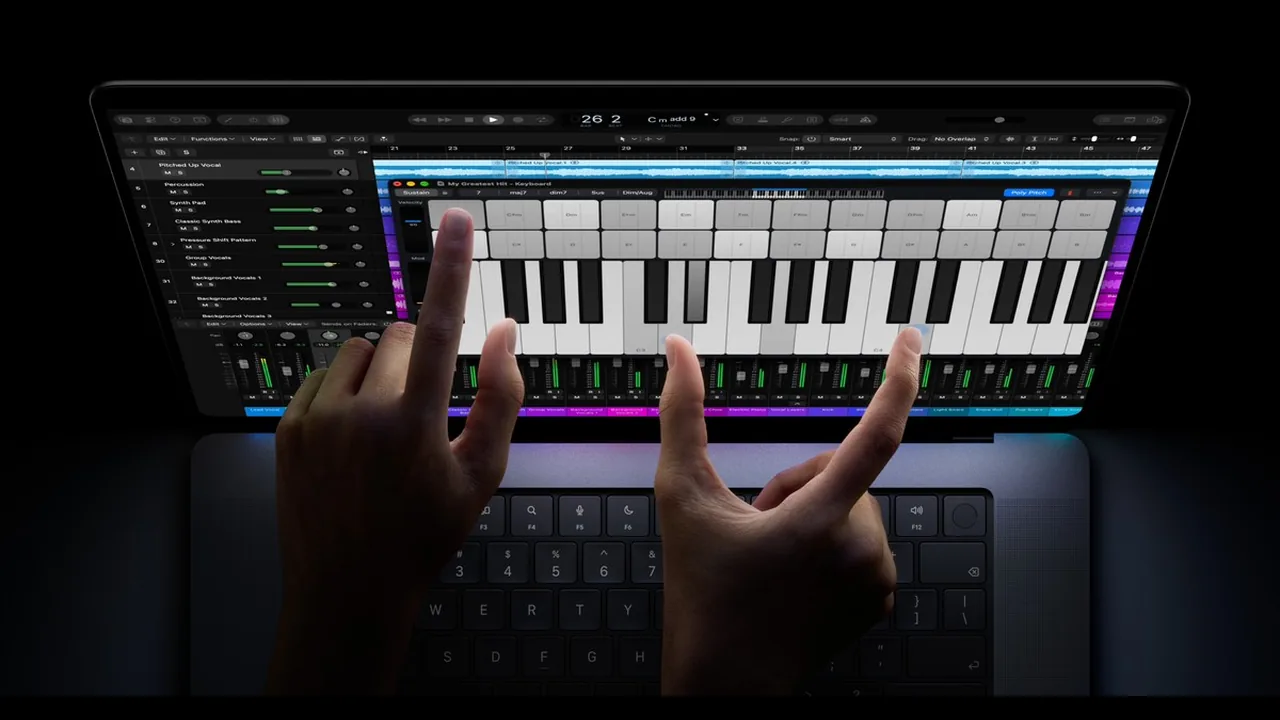
Availability day is here for Apple’s first touchscreen MacBook Pro. On Friday, November 6, 2026, the MacBook Pro with PROLED XDR Display begins arriving to customers and Apple Store locations after pre-orders opened on October 28, 2026.
This piece is for home buyers deciding whether the touchscreen PROLED model is worth the jump, or whether a non-touch MacBook Pro is the smarter cart. It is not a lab review, and it does not invent performance scores.
What arrived today
Apple’s October 28 newsroom post describes the new machine as a 14-inch and 16-inch MacBook Pro with:
- A PROLED XDR tandem OLED display
- Touch built into the panel (first time on Mac, per Apple)
- M5 Pro or M5 Max chips
- Dynamic Island on Mac
- Up to 24 hours of battery life claimed by Apple
- A thinner, lighter design than the previous pro laptops Apple is comparing against
U.S. starting prices from Apple’s announcement:
- 14-inch M5 Pro: from $2,899
- 16-inch M5 Pro: from $3,399
- M5 Max configs start higher (Apple lists 14-inch M5 Max from $4,499 and 16-inch M5 Max from $4,799)
Education pricing is lower on Apple’s sheet if you qualify. Configure storage, memory, and finish carefully before you lock a pickup order. Max configs climb quickly once you leave the starting SKUs.
Same-day wave: other October products
November 6 is also availability day for other late-October Apple products Apple already dated to this Friday: the 14-inch M6 MacBook Pro, the M6 iMac, and the new OLED iPad mini.
If you are shopping a household cart:
- Want touch and the PROLED panel: stay on this MacBook Pro line.
- Want a pro laptop without paying the OLED touch premium: look at the non-touch M6 MacBook Pro instead.
- Want a desk all-in-one or a small tablet: the M6 iMac and OLED iPad mini are separate decisions, not accessories required by the PROLED laptop.
The rest of this article stays on the touchscreen PROLED MacBook Pro.
Who this is for (and who should wait)
Good fit if you
- Want a Mac laptop where touch is part of the display, not a separate tablet.
- Care about a bright, high-contrast OLED-class panel for photo, video, design, or media at home.
- Already planned a high-end MacBook Pro refresh and can absorb a $2,899-and-up starting price.
- Will actually use on-screen gestures, not just admire them in a keynote clip.
Better to stick with a non-touch M6 MacBook Pro, or wait, if you
- Mostly browse, write, stream, and use classic trackpad habits. Touch is optional for that workload.
- Are price-sensitive. The non-touch M6 MacBook Pro starts far lower than the PROLED line.
- Hate fingerprints on dark glass. OLED touch panels show smudges; that is normal, not a defect, but it bothers some people every day.
- Need third-party evidence on heat, real battery life, or app quirks. Apple’s claims are marketing claims until independent reviews you trust settle in. Do not buy solely on a keynote battery slide.
If your current MacBook Pro still feels fine and money is tight, waiting a few weeks for return-window chatter and stock patterns is reasonable. Availability day hype is not a deadline unless you already know you need the machine.
What to check at pickup or unboxing
Whether you ordered online or walked into an Apple Store, spend ten quiet minutes before you leave the receipt pile alone:
- Display: open a bright image and a dark scene. Look for obvious dead pixels, uneven tint, or damage. Check the nano-texture option only if you paid for it.
- Touch gestures: tap, scroll, and try a couple of multi-finger actions in apps you actually use (Photos, Safari, Preview, a drawing app if you have one). Confirm the cursor and touch do not fight each other in a way you hate.
- Dynamic Island / system UI: open Spotlight and a couple of Live Activities if available on day one. Make sure the new Mac chrome feels usable, not just novel.
- Battery and charging: note the starting charge, plug in the cable once, and confirm the machine charges. Apple claims up to 24 hours; treat that as a maximum marketing figure, not your homework-night guarantee.
- Ports: confirm Thunderbolt ports, MagSafe or power adapter behavior for your region, and headphone jack with your own accessories.
- Keyboard and trackpad: type a paragraph and move the pointer. Touch does not replace a bad keyboard feel for writing-heavy households.
- Setup accounts: create or sign into your Apple Account, enable Find My, and set a strong device passcode before the laptop rides home in a backpack.
If anything looks wrong in the store, ask for a swap before you leave. Online deliveries get the normal return window; photograph the box condition on arrival.
Do this / don’t do that
Do
- Compare the PROLED touch model against the non-touch M6 MacBook Pro on price and daily habits before you buy.
- Verify display, touch, ports, and charging yourself at pickup.
- Read Apple’s newsroom announcement for the official price and availability lines.
Don’t
- Do not invent speed rankings from marketing adjectives. Wait for reviews you trust if performance is the deciding factor.
- Do not assume every configuration ships from the store the same day. Some builds may still show later delivery estimates online.
- Do not skip the return-window calendar reminder. Touch preference is personal; a week of real use beats a five-minute demo.
Bottom line
Friday, November 6, 2026 is availability day for Apple’s first touchscreen MacBook Pro with PROLED XDR Display (M5 Pro / M5 Max), first announced on October 28 with pre-orders the same day (Apple newsroom). U.S. pricing starts at $2,899 for the 14-inch M5 Pro and $3,399 for the 16-inch M5 Pro, with Max configs higher. The same Friday also brings the broader late-October wave (M6 MacBook Pro, M6 iMac, OLED iPad mini). For home buyers: choose the PROLED model if touch and the new panel are the point of the purchase; otherwise the non-touch M6 MacBook Pro is the calmer spend. At pickup, check the display, touch, battery charging, and ports yourself.
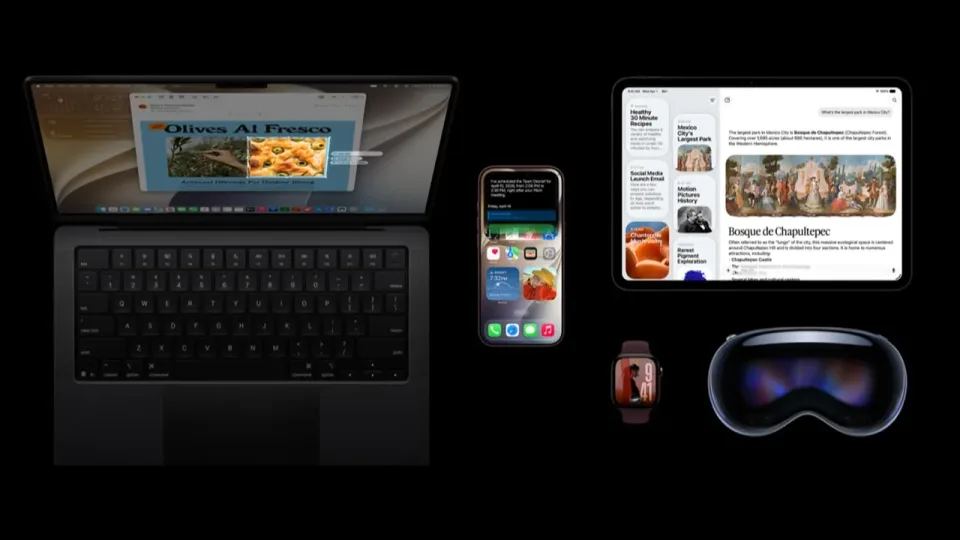
Image: Official Apple Newsroom photo of the MacBook Pro with PROLED XDR Display and Touch.