Install iOS 27.2.1 and 26.7.3
Apple released iOS and iPadOS 27.2.1 and 26.7.3 on November 9, 2026, with Messages, Bluetooth, AirPlay, and other security fixes. What changed, who also got 18.7.12, and how to check your version.

Apple shipped another iPhone and iPad security train on November 9, 2026. If you are on the current iOS 27 line, the build to install is iOS 27.2.1 (and iPadOS 27.2.1). People who stayed on iOS 26 should look for 26.7.3. This is a different release from the iOS and iPadOS 27.2 updates of October 26.
Apple does not say in these notes when the bugs were introduced. Treat the listed fixes as applying to the devices named on each page, and install the update that Software Update offers for your phone or tablet.
What 27.2.1 and 26.7.3 both fix
Apple’s notes for iOS 27.2.1 and iPadOS 27.2.1 and iOS 26.7.3 and iPadOS 26.7.3 both include these issues:
- Messages, CVE-2026-113960: a user added to an iMessage group may be able to access messages sent before they joined.
- Messages, CVE-2026-113961: a remote attacker may be able to join an iMessage group chat and receive its messages.
- Bluetooth, CVE-2026-113970: an attacker in Bluetooth range may be able to corrupt process memory.
- AirPlay, CVE-2026-113968: an attacker in Bluetooth range may be able to bypass the rate limit on pairing code attempts.
- CoreUtils, CVE-2026-113965: a malicious Bluetooth device may be able to establish a pairing without user interaction.
- CoreUtils, CVE-2026-113964: an attacker in Bluetooth range may be able to bypass the rate limit on pairing code attempts and pair with a device without user interaction.
- rapportd, CVE-2026-113969: an attacker on the same network may be able to bypass the rate limit on AirPlay pairing code attempts.
- brotli, CVE-2026-111497: processing maliciously crafted input may lead to memory corruption.
iOS 27.2.1 also fixes App Intents, CVE-2026-113963: an app may be able to access sensitive user data. That entry is not in the 26.7.3 note.
27.2.1 is listed for iPhone 11 and later, and for iPad Pro 12.9-inch 4th generation and later, iPad Pro 11-inch 2nd generation and later, iPad Air 4th generation and later, iPad 9th generation and later, and iPad mini 6th generation and later. 26.7.3 is listed for iPhone 11 and later, and for a slightly older iPad set (including iPad Pro 12.9-inch 3rd generation and later, iPad Pro 11-inch 1st generation and later, iPad Air 3rd generation and later, iPad 8th generation and later, and iPad mini 5th generation and later). Use Apple’s pages for the full model lists.
Older iPhones, and a separate public report
Apple also released iOS 18.7.12 and iPadOS 18.7.12 the same day for iPhone XS, iPhone XS Max, iPhone XR, and iPad (7th generation). That note shares the AirPlay, Bluetooth, CoreUtils, and rapportd fixes above, and it adds MediaRemote, CVE-2026-113971 (an attacker with physical access may be able to pair a device with an AirPlay receiver from the lock screen). It does not include the Messages fixes, the brotli fix, or App Intents CVE-2026-113963. Do not assume 18.7.12 has the same coverage as 27.2.1 or 26.7.3.
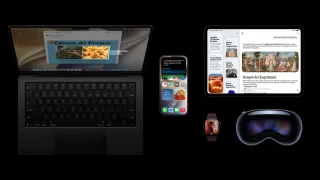
Apple’s security releases page also lists November 9 updates for macOS Golden Gate 27.2.1, macOS Tahoe 26.7.3, macOS Sequoia 15.8.3, watchOS 27.2.1, watchOS 26.6.1, and visionOS 27.2.1. This article does not inventory those CVE lists. If you have a Mac, Apple Watch, or Vision Pro, check Software Update and read the matching Apple note.
A separately published proof of concept, worse_query, describes a sandbox issue on iOS 26.0 through 26.7.2 and iOS 27.2. As of the morning of November 10, 2026, that report has no confirmed CVE, and Apple’s 27.2.1 and 26.7.3 notes do not list a fix for it. App Intents CVE-2026-113963 is a different, officially documented bug (an app may be able to access sensitive user data). Do not treat 113963, or this update, as a confirmed fix for worse_query. The published report also does not demonstrate Keychain access.
How to update and verify
On your iPhone or iPad, open Settings, then General, then Software Update. Install the update that is offered, keep the device plugged in or well charged, and wait for it to finish and restart.
Then check Settings, General, About for the version. You want 27.2.1 if you are on the iOS 27 line, 26.7.3 if you stayed on iOS 26, or 18.7.12 if you are on one of the older devices named above. Apple notes that after you install an iOS or iPadOS update, you cannot downgrade to the previous version.