Thunderbird 159: update now for the OpenPGP attachment fix
Mozilla shipped Thunderbird 159.0 on October 27, 2026 with MFSA 2026-121, including a high-impact OpenPGP key attachment bug that could load an attacker-chosen URL. How home users update and verify.


If Thunderbird is how you read mail on a home computer, check the version today. On October 27, 2026, Mozilla shipped Thunderbird 159.0 for desktop with a high-impact security advisory.
Updating Firefox does not update Thunderbird. They are separate apps with separate About screens. If both are on your computer, check both. Our Firefox 159 security note covers the browser. This article is for the mail app.
What Mozilla shipped
Thunderbird’s 159.0 release notes mark Version 159.0 as released October 27, 2026. The notes add unread mail counts to the Linux tray icon, list a long run of everyday fixes, and end with Security fixes.
The security details are in MFSA 2026-121 (announced October 27, 2026, impact high), fixed in Thunderbird 159. It lists 173 fixed vulnerabilities. Mozilla also shipped Thunderbird 153.6 for people on the Extended Support Release (ESR). This article is for the regular Thunderbird most people run, where the target is 159.0.
Mozilla’s note on Thunderbird advisories still applies: many of the flaws Thunderbird shares with Firefox cannot be exploited through email because scripting is disabled when reading mail, but they can matter in browser-like parts of the app. This release also fixes several mail-specific bugs that do matter when you open messages.
The OpenPGP attachment issue worth understanding
The clearest home-user bug in MFSA 2026-121 is CVE-2026-118174 (reported by Magnus Melin, impact high).
Mozilla’s description, in plain terms: when a message containing an OpenPGP key attachment was displayed, Thunderbird automatically loaded the attachment so it could offer to import the key. A sender could mark that attachment as an external attachment pointing at any web address. Thunderbird then loaded that address without a single click, getting around remote content blocking.
On Windows, an address pointing at an attacker-controlled network share could leak the user’s NTLM credentials, the Windows sign-in data that can be used to try to crack a password. On other operating systems, the bug still allowed a remote request that got around remote content blocking.
You do not need to know anything about encryption to act. Simply displaying a crafted message was enough, so install 159.0, fully quit, and confirm the version.
Other mail-specific fixes in the same advisory
MFSA 2026-121 also lists these Thunderbird-specific issues:
- CVE-2026-118175 (high): Content of other messages could be included when replying to a crafted message
- CVE-2026-118176 (high): Bypass of the remote network path restriction in
mailbox:links, on Windows only - CVE-2026-118177 (high): Calendar discovery accepted local file and remote network share locations
- CVE-2026-118178 (high): An RSS feed could redirect its subscription to a local file or network share
- CVE-2026-118179 (moderate): Request forgery through
news:links - CVE-2026-118180 (moderate): A Matrix chat server could redirect the chat session to a local file or network share
Mozilla says the mailbox:, calendar, RSS, and Matrix bugs could also leak NTLM credentials on Windows, the same way the OpenPGP bug could. Treat the whole advisory as “update the mail app today,” not “only if I use encryption.”
Why older Thunderbird is not enough
If About Thunderbird still shows 158.x or earlier, you are a version behind. Our Thunderbird 158 note was correct on October 13. Version 158 does not include these October 27 fixes.
Same habit every time:
- Update
- Fully quit and relaunch
- Prove it on the About screen
Downloaded is not running. The version line is the receipt.
How to update and verify on your computer
- Open Thunderbird on the computer where you read mail.
- Check for updates.
- Windows / Linux: Menu (three lines) > Help > About Thunderbird.
- macOS: Thunderbird menu > About Thunderbird.
- Stay on the About window until the download finishes and Thunderbird offers a restart, or until it already shows 159.0.
- Restart to update when prompted. Do not click Later and keep old windows open for hours.
- Fully quit if the version still looks old. Close every Thunderbird window. On Windows, confirm no leftover
thunderbird.exein Task Manager. On Mac, use Thunderbird > Quit Thunderbird. Open it again. - Confirm About Thunderbird shows 159.0 (or a newer 159.0.x if Mozilla ships a point release after this article).
- Repeat on other home computers that run Thunderbird, including a laptop that sleeps with mail still open.
If About Thunderbird does not offer 159 yet, give it a day, then check again. If the updater seems stuck, download Thunderbird from Thunderbird’s own site instead of a third-party download page.
Linux users who installed Thunderbird from their distribution’s packages should update through that package manager. Flatpak or Snap installs update through those tools. The goal is still 159.0. If you deliberately stay on ESR, install 153.6 instead (MFSA 2026-122).
Mail on your phone is separate
Updating Thunderbird on your computer does not update Gmail, Outlook, Apple Mail, or any mail app on your phone, including Thunderbird for Android. Those update through their app stores on their own schedules. This article is only for Thunderbird on your PC or Mac.
Do this / don’t do that
Do
- Open About Thunderbird, relaunch, and confirm 159.0.
- If you use OpenPGP, encrypted mail, RSS feeds, calendar setup, or Matrix chat inside Thunderbird, update the same day.
- After updating, open a familiar folder and send yourself a test message so you know everything still works.
- If you also use Firefox, update it separately. The Firefox 159 security update is a different install.
Don’t
- Do not assume updating Firefox also patched Thunderbird.
- Do not leave old Thunderbird windows running after an update prompt.
- Do not turn off remote content protection to “fix” odd attachment behavior.
- Do not download Thunderbird from random download sites. Use Thunderbird’s About window or its official site.
Bottom line
On October 27, 2026, Mozilla shipped Thunderbird 159.0 with MFSA 2026-121, including the high-impact OpenPGP key attachment bug (CVE-2026-118174) and related mail fixes (release notes). On your own computer: install, relaunch, and confirm About Thunderbird. Firefox updates do not count. 159.0 is the finish line today.
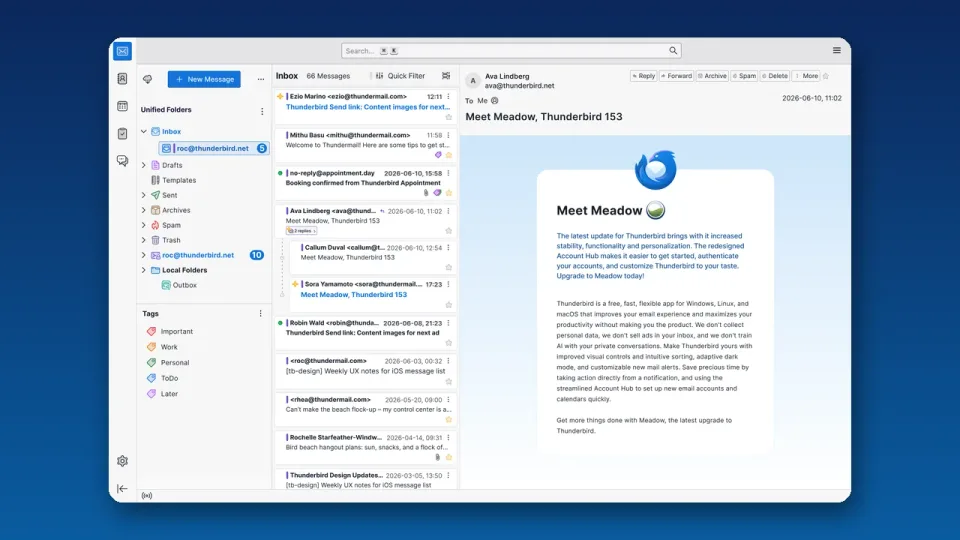
Image: Official Thunderbird app icon (thunderbird.net) on a deep navy background.