Thunderbird 158 is out: update your home email client today
Mozilla Thunderbird 158.0 hit Release on October 13, 2026 with security fixes plus OpenPGP, remote-content, and CardDAV repairs. How home users update and verify.

If Thunderbird is how you read mail on a home computer, check the version today. On October 13, 2026, Mozilla shipped Thunderbird 158.0 on the desktop Release channel.
Updating Firefox does not update Thunderbird. They are separate apps with separate About screens. If both live on your PC, check both.
What Mozilla shipped
Thunderbird’s 158.0 release notes mark Version 158.0 as released October 13, 2026. The notes list everyday fixes and end with Security fixes.
You do not need a CVE scavenger hunt to act. When the official release notes say security fixes landed in a new major version, install it, fully quit, and confirm the version. As of this writing, Mozilla’s public MFSA list already covers Thunderbird 157 and the recent ESR trains. Treat 158.0 as the new Release target for home users on the regular channel.
Practical fixes in the same notes that matter on a home machine:
- OpenPGP key management unlock, handle leak, and protection-state issues, plus a backup-password copy/context-menu bug
- Remote content exceptions that only applied to HTTP (not HTTPS) when no scheme was set, and wildcard hostnames that were allowed incorrectly
- CardDAV / CalDAV credential and sync problems (forgotten passwords after restart, missing password prompts, sync failures, vCard timestamp corruption)
- Ctrl+Enter could unintentionally confirm the send prompt and send duplicates
- Body search crash, Quick Filter accent matching, Unified Folders view glitches, and several calendar credential prompts
None of those replace the security update. They are bonus reasons to leave older builds behind.
Why older Thunderbird is not enough
If Help → About Thunderbird still shows 157.x or earlier, you are on last month’s major train. Thunderbird 158 is the new Release line for October 13.
Same habit every time:
- Update
- Fully quit and relaunch
- Prove it on the About screen
Downloaded is not running. The version line is the receipt.
How to update and verify on your computer
- Open Thunderbird on the computer where you read mail.
- Check for updates.
- Windows / Linux: Menu (three lines or hamburger) → Help → About Thunderbird.
- macOS: Thunderbird menu → About Thunderbird.
- Stay on the About window until the download finishes and Thunderbird offers a restart, or until it already shows 158.0.
- Restart to update when prompted. Do not click Later and keep old windows open for hours.
- Fully quit if the version still looks old. Close every Thunderbird window. On Windows, confirm no leftover
thunderbird.exehelpers in Task Manager. On Mac, use Thunderbird → Quit Thunderbird. Open it again. - Confirm About Thunderbird shows 158.0 (or a newer 158.0.x if Mozilla ships a point release after this article).
- Repeat on other home computers that still run Thunderbird, including a laptop that sleeps with mail still open.
If About Thunderbird says an update is coming but will not offer 158 yet, give Release a day, then check again. Prefer Thunderbird’s own download page if a stuck updater loop refuses to move.
Linux users who install Thunderbird from a distribution package should use that package manager’s update path. Flatpak or Snap installs update through those channels. The version goal is still 158.0 on the Release train you chose.
Mail on your phone is separate
Desktop Thunderbird updates do not patch Gmail, Outlook, Apple Mail, or any phone mail app. Those update on their own schedules. This article is only for the Thunderbird desktop client on your PC or Mac.
Do this / don’t do that
Do
- Force About Thunderbird, relaunch, and confirm 158.0.
- After updating, send yourself a test message and open a known calendar or address book once if you rely on CardDAV/CalDAV.
- If you also use Firefox, update it separately. Today’s Firefox 158 security update is a different install.
- Prefer official Thunderbird downloads over random “mail client packs” from sketchy sites.
Don’t
- Do not assume updating Firefox also patched Thunderbird.
- Do not leave old Thunderbird windows running after an update prompt.
- Do not invent CVE numbers that Mozilla has not published for 158 yet. The release notes’ security-fixes line is enough reason to install.
- Do not ignore OpenPGP or remote-content fixes if you use encrypted mail or allow remote images from some senders. Those bugs are why you verify after the update.
Bottom line
Thunderbird 158.0 hit desktop Release on October 13, 2026 with security fixes and a long list of OpenPGP, remote-content, CardDAV, and everyday mail repairs (official release notes). On your home PC or Mac: open About Thunderbird, install, fully quit and relaunch, confirm 158.0. That is the whole job.
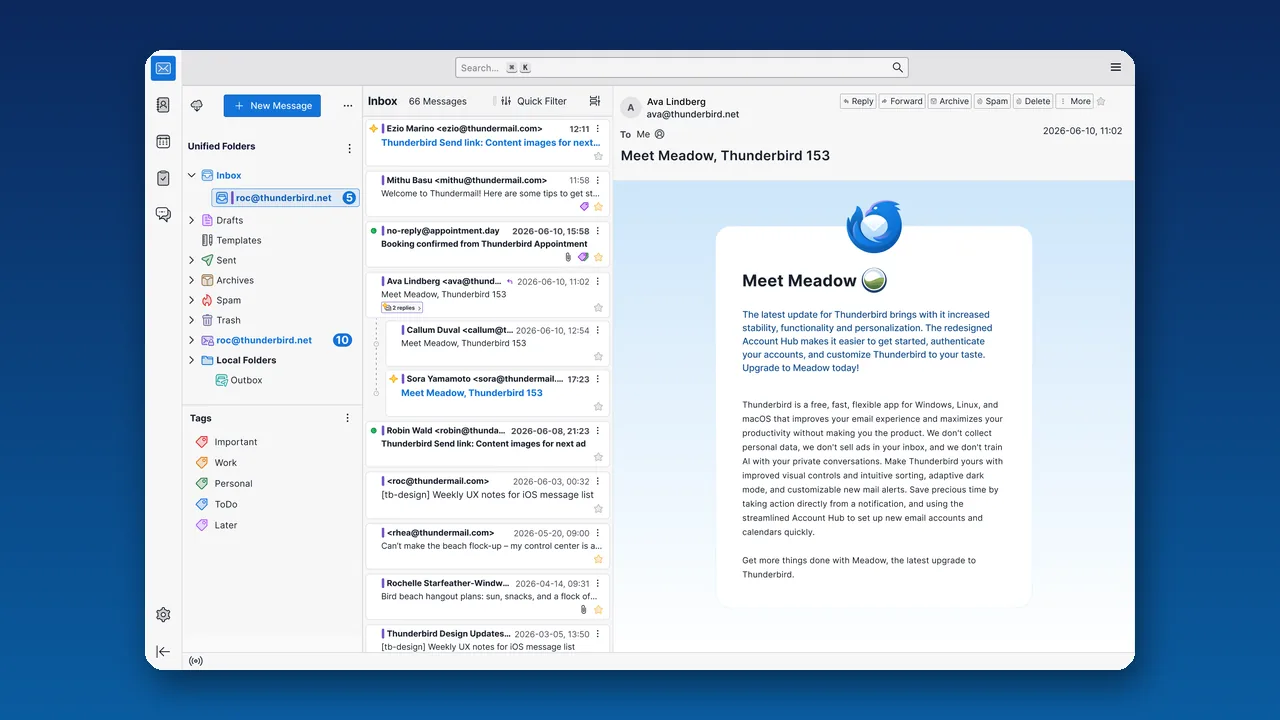
Image: Thunderbird desktop mail marketing screenshot (thunderbird.net).