Chef's Kiss is now generally available
A complete tour of Chef's Kiss: import recipes from links and photos, organize your cookbook, plan meals, build shopping lists, cook step by step, and keep it synced across web, iPhone, and Android.

After a long rebuild, a lot of testing, and more recipe-card edge cases than I knew existed, Chef’s Kiss is now generally available on iPhone, iPad, Android, and the web.
Chef’s Kiss is a recipe import and collection app from Qutzl. Its main job is simple: take the recipe you found on a website, watched on YouTube, photographed from an old card, or already saved in another app, and turn it into something you can actually find and cook later.
The app does more than keep a list of links. It builds structured recipe cards, gives you a searchable library, tracks what is in your pantry, helps plan the week, builds a shopping list around what you are missing, and gives you a focused Cook Mode when it is time to make dinner. Chef, the built-in assistant, is there when you need a substitution, a technique explained, a recipe adjusted, or a week of meals planned.
You can start in whichever place makes sense:
- Use Chef’s Kiss on the web
- Download Chef’s Kiss from the Apple App Store
- Download Chef’s Kiss from Google Play
- Read the Chef’s Kiss wiki
- Browse public recipes
The web and mobile apps are different doors into the same kitchen. Sign in with the same account and your supported cloud data follows you between them. There is one important exception: Local Unlock is a single-purchase, device-only plan. It deliberately does not include cloud recipe or pantry sync. I explain that distinction, and a few other platform boundaries, in detail below.
Why we built Chef’s Kiss
Most people do not have a recipe shortage. They have a recipe retrieval problem.
A good dinner might be buried in an open browser tab, a social post, a YouTube description, a screenshot, a cookbook, a note from a relative, or an app you stopped using three phones ago. Saving the source is easy. Finding it on Wednesday at 5:40 p.m., remembering whether you changed the sauce, checking what you already have, and turning it into a shopping list is the part that falls apart.
I did not want Chef’s Kiss to become another feed that competes for attention or another chatbot that writes a plausible recipe and then forgets it. The center of the product is your cookbook: recipes you chose, organized in a form that remains useful from discovery through cleanup.
That is why the normal Chef’s Kiss workflow looks like this:
- Bring in a recipe from a link, YouTube video, photo, file, the public catalog, or a blank card.
- Review the structured result instead of trusting an extraction blindly.
- Save and organize it in your library, with folders, tags, favorites, and search.
- Plan meals from recipes you already want to cook.
- Build a shopping list and subtract pantry items you already have.
- Cook in a focused view with one step at a time and timers where they help.
- Ask Chef when you get stuck, then save a useful remix or edit back to your library.
Every feature should shorten that path or make it less fragile. If it does neither, it does not belong in the way.
One cookbook across phone, tablet, and web
Chef’s Kiss has native mobile apps and a full web companion. The mobile apps are the most complete experience because a phone has the camera, notification, billing, and watch integrations that several kitchen workflows need. The web companion is better when you have a keyboard, a large display, and a pile of links to sort through.
For a signed-in cloud account, that split is useful instead of annoying. Paste and clean up several recipes at app.chefskiss.io on a laptop, then open the same library on your phone when it is time to shop or cook. Add pantry items on the phone and review them from the browser. Ask Chef a question at your desk, then return to the thread from the app.
Here is the practical sync model:
| Data or feature | Free, signed in | Local Unlock | Plus / Pro |
|---|---|---|---|
| Recipe library | Syncs to your account | Device only | Syncs to your account |
| Pantry | Syncs to your account | Device only | Syncs to your account |
| Dietary preferences | Syncs when signed in | Local behavior | Syncs to your account |
| Chef history | Short cloud retention when signed in | Short local history | Longer cloud retention |
| Meal plan and personal shopping list | Local to each device or browser | Device only | Syncs across devices |
| Purchases and upgrades | Mobile store only | One-time mobile purchase | Mobile store subscription |
Two smaller details are worth knowing. Web tags and favorites are currently browser-local, even though your actual recipes sync. Folder membership is the better cross-device organization tool today. Also, browser Cook Mode currently applies to public Discover recipes; personal-library Cook Mode remains a mobile feature.
The full comparison stays current in the Mobile vs web guide. If your main priority is seamless movement between devices, use a signed-in Free account to start and move to Plus or Pro when you also need the meal plan and shopping list to sync. Do not buy Local Unlock expecting it to turn into a cloud plan. Its purpose is the opposite: pay once for a larger library that stays on that device.
Import a recipe instead of saving another tab
The most important feature in Chef’s Kiss is import.
Paste a recipe page or YouTube URL and the app extracts the useful parts into a structured card: title, servings, ingredients, amounts, steps, timing, and a calorie estimate. On mobile, you can also point the camera at a printed or handwritten recipe card, choose an image from the photo library, or share supported content into Chef’s Kiss from another app.
The goal is not to erase the source. The goal is to make the recipe usable. A saved URL still makes you fight the original page every time you cook. A structured card lets Chef’s Kiss scale quantities, build a shopping list, show a clean step sequence, and make the recipe searchable alongside everything else you own.
Import from a website or YouTube
Link import works on mobile and web. It is the fastest route for most recipes:
- Copy the original recipe or YouTube URL.
- Open Import on the web, or tap + and Paste link on mobile.
- Let Chef’s Kiss create the card.
- Review the title, ingredient amounts, servings, steps, and calorie estimate.
- Save it to your library.
Use the original recipe page when possible, not a homepage, search result, or repost that removed half the instructions. YouTube works best when the description or captions contain useful recipe detail. The app can do a lot with imperfect sources, but no extractor can restore a measurement that the creator never supplied.
The step-by-step version is in Add from a link or YouTube.
Photograph a printed or handwritten recipe
Camera and photo-library import are mobile-only. This is the feature for the index card in a kitchen drawer, the handwritten church cookbook entry, or the page you actually use from a physical cookbook.
Take the photo in even light, keep the full recipe in frame, and avoid glare. Chef’s Kiss reads the image and creates an editable recipe card. Clear handwriting works better than a cropped, shadowed card with three generations of sauce stains, but the review step is there for a reason.
This is also one of my favorite use cases for the app: preserving family recipes without turning them into dead image files. A photograph is a backup of the paper. A structured recipe is something you can search, scale, plan, share, and cook. Keep both.
See Snap a recipe card for the capture workflow.
Move an existing collection
If you already invested years in another recipe manager, you should not have to start from zero. The mobile app can import supported Paprika and Recipe Keeper libraries, along with Chef’s Kiss JSON. It can also export your library to JSON or plain text and includes duplicate-cleanup tools for the inevitable overlap.
Large migrations deserve the same discipline as any other data move: export a backup first, import a representative sample, inspect ingredient formatting and steps, then bring in the rest. Do not delete the old collection because the first ten recipes looked fine.
The supported flow and cleanup notes are in Import, export, and cleanup.
Create or edit by hand
AI is optional. You can create a blank recipe and type it yourself, or edit any imported recipe after the fact. That matters because personal cookbooks are personal: maybe you use less salt, toast the spices first, or know that your oven needs eight more minutes than the original author claimed.
Manual edits are first-class data, not a note attached to a black-box result. Change ingredients, steps, timing, servings, or notes and save the version you actually cook. Those edits sync on supported cloud plans. The details are in Create and edit recipes.
A library that behaves like a cookbook
Import only matters if retrieval is better later.
Your Chef’s Kiss library can be searched by title and filtered by favorites, folders, and tags. Folders are useful for durable collections such as Weeknights, Meal Prep, Holiday, Dad’s Recipes, or Things the Kids Actually Ate. Tags work better for lightweight labels such as under 30 minutes, freezer, grill, or needs testing.
The important distinction is that the library is yours. Discover is a public catalog; your imported recipes are personal content. Liking a public recipe is a public vote on that catalog item. Favoriting a recipe is a private way to keep a personal keeper close. Saving a Discover recipe copies it into your library. Those actions are separate on purpose.
Each recipe can hold structured ingredients and steps, servings, timing, calorie estimates, source details, notes, and a cover. You can scale a recipe for a different number of people and switch common unit presentations when conversion is supported. Scaling changes the working quantities for cooking and shopping without silently rewriting the base recipe you saved.
Read Library, folders, tags, and favorites and Scale and units for the details.
Discover when you need an idea, no account required
Sometimes the problem is not saving a recipe. It is deciding what to make.
Chef’s Kiss Discover is a public, searchable catalog you can browse without creating an account. Search by title or ingredient, filter by category, open a recipe, adjust servings and units, follow Cook Mode in the browser, or use ingredient shopping links. If a recipe earns a place in your rotation, sign in and add it to your personal library.
The mobile app and web companion also offer Grid and Scroll views over the catalog. Grid is the fast way to scan. Scroll gives one recipe the full screen and adds quick actions for saving, liking, and asking Chef about that dish.
Discover likes are intentionally separate from your personal favorites. A like contributes to the shared public total and helps us understand what people want to see more often. It does not save a copy or mark anything in your private cookbook.
You can also open Ask Chef or Customize on a catalog recipe. Chef receives the dish as context, so you can ask whether a substitute will work, how to change the cooking method, or how to turn it into a different meal. If you save a remix, it becomes a new recipe in your library. The public catalog is not modified.
The public catalog itself is alcohol-free by policy. Your personal imports remain your content and are not subject to that catalog rule. See Discover recipes for the full behavior.
Chef is an assistant, not the filing cabinet
Chef’s Kiss started life much closer to a chat-first product. We changed direction because a conversation is a poor place to keep a cookbook. Chef still matters, but it now sits beside the recipe workflow instead of replacing it.
Open the Chef tab and ask normally. Useful requests include:
- “I have chicken thighs, chickpeas, spinach, and 40 minutes. What can I make?”
- “Replace the dairy in this sauce without making it thin.”
- “Scale this dinner for eight people and tell me what can be prepared a day early.”
- “Turn this roast chicken into three lunches that do not feel identical.”
- “Build a five-night dinner plan around two vegetarian nights and one leftover night.”
- “I am out of baking powder. Is there a workable substitute in this recipe?”
- “Explain why this dough needs to rest before I roll it.”
- “Make this recipe gluten-free, keep the texture as close as possible, and flag the ingredients I need to verify.”
Chef is more useful when it has context. Open it from a saved or Discover recipe and the assistant knows which dish you mean. Ask for a substitution, serving change, technique explanation, side pairing, prep schedule, or remix. A useful new recipe can be saved into your library, where you can review and edit it like any other card.
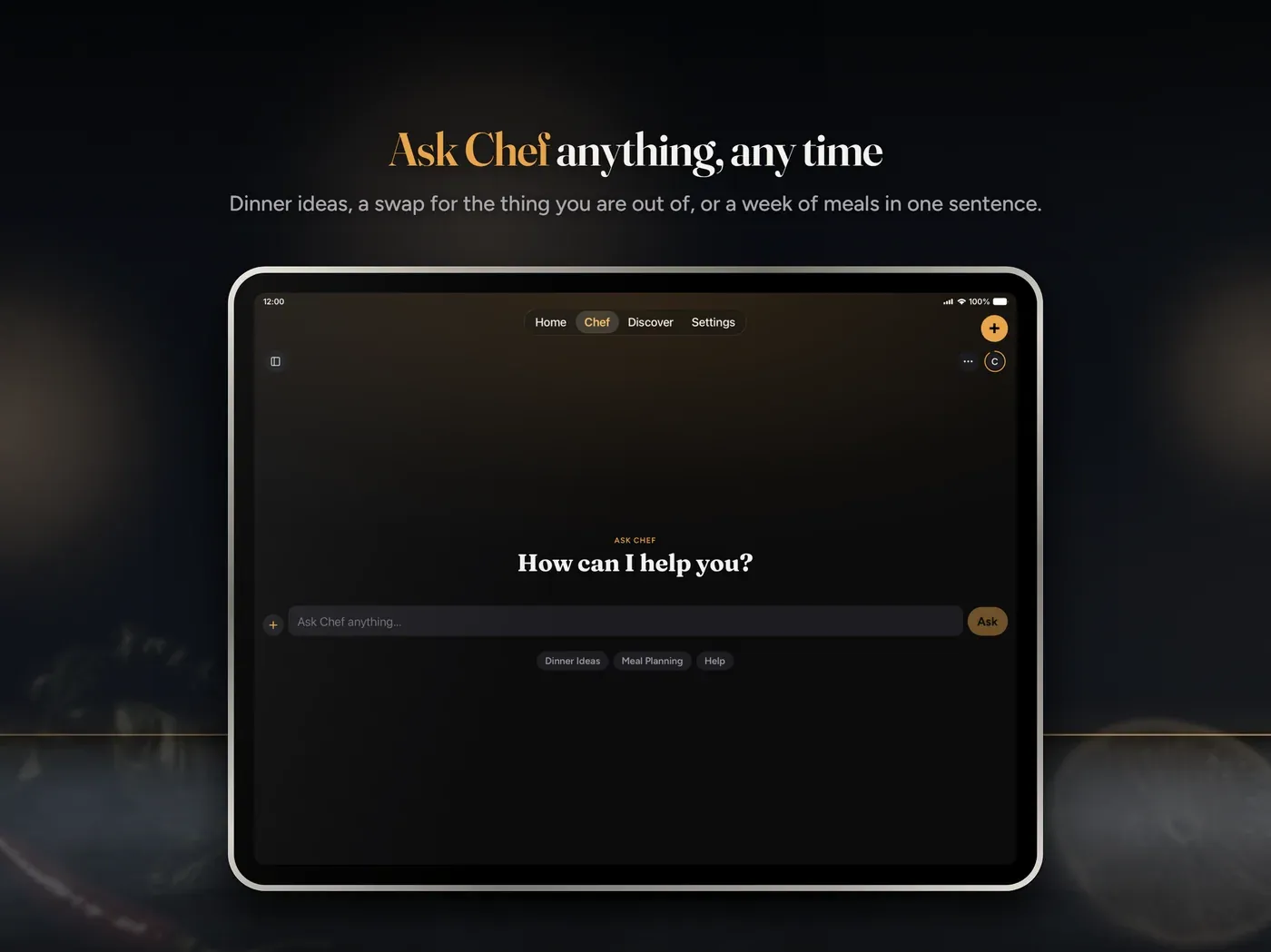
Chat history is available on mobile and web, with retention depending on the plan. Free and guest history is intentionally shorter; Plus and Pro keep a much longer history. Chef turns use the app’s AI usage budget. Link, photo, receipt, and supported file imports do not spend that chat budget.
No AI cooking tool should be treated as an authority on food safety, allergies, or medical nutrition. Chef can help you think, reorganize, and adapt. You still need to verify critical substitutions, cooking temperatures, allergens, and dietary requirements. Calorie values are estimates, not laboratory measurements.
Read Chef chat for history and usage details, and Diet and allergies for the preference controls.
Plan the week from recipes you already saved
A collection becomes much more useful when it can answer “what are we eating this week?”
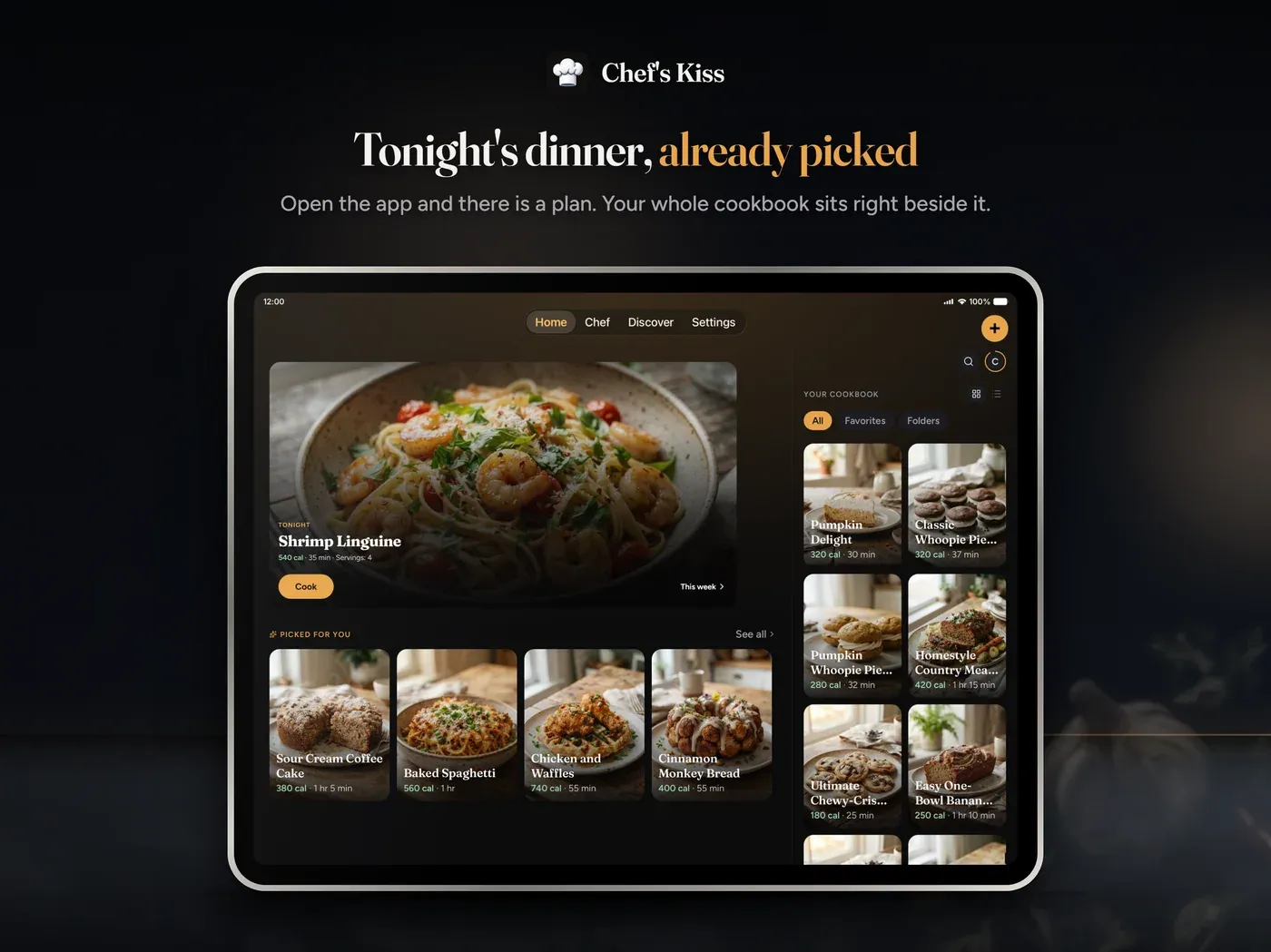
The weekly meal planner provides Breakfast, Lunch, Dinner, and Snack slots for each day. Add a library recipe, a custom side, or an idea from Chef. The result is a week you can see, revise, and turn into a list instead of seven separate decisions made while hungry.
This is where the web and mobile combination works especially well. Planning is comfortable on a larger browser window. Shopping and cooking are comfortable on the phone. On Plus and Pro, the meal plan follows your account between them. On Free and Local Unlock, the planner remains local to the specific browser or device.
That boundary is deliberate and worth repeating: a signed-in Free recipe library syncs, but a Free meal plan and shopping list do not. Cross-device meal planning and shopping require Plus or Pro. Local Unlock keeps all of it on the purchasing device.
The guide is at Weekly meal plan.
Turn the plan into a shopping list
After the week is filled in, Chef’s Kiss can rebuild a shopping list from the ingredients in those meals. It combines what the recipes call for, lets you add manual lines, and can subtract pantry stock so you are not buying another jar of something you already own.
Check items off at the store, clear completed lines when you are done, and on mobile share the list as text when another person is doing the run. Plus and Pro sync the personal shopping list with the meal plan. Free and Local keep it on the current device or browser.
There is also a separate collaborative shared-shopping feature on mobile. Plus and Pro members can create a shared list, invite up to six people, and assign roles. A Free user can join after the owner accepts the request. Members can update and check off the same live list instead of sending screenshots back and forth. Each person can choose Amazon or Walmart for item search links.
See Shopping list and Shared shopping lists for both models.
Keep a practical pantry, not an inventory project
Pantry tracking can become a second job if the product expects warehouse accuracy from a household. Chef’s Kiss aims for a lighter model: keep the ingredients that affect planning and shopping visible, add expiry dates where reminders are valuable, and correct quantities when they matter.
On both mobile and web, you can add an item manually with a name, quantity, unit, category, notes, and optional expiry date. Signed-in cloud accounts sync pantry data, except Local Unlock, which remains device-only.
Mobile adds three capture routes:
- Receipt or shelf scan: extract multiple line items, review them, then add in bulk.
- Barcode lookup: scan a code or enter it manually and look up supported products.
- File or clipboard import: bring in CSV, JSON, text, or a pasted list.
Pantry expiry reminders are scheduled locally on the phone. If an item matters enough that wasting it would bother you, add the date. If it is a permanent jar of salt, do not create paperwork for yourself.
The full workflow is in Pantry.
Cook Mode gets the phone out of your way
Recipe apps often do a respectable job until your hands are covered in flour. Cook Mode is designed for that moment.
On mobile, open a saved recipe and tap Cook. Chef’s Kiss shows one clear step at a time, tracks progress, keeps the screen awake, and exposes timers for steps that need them. On iPhone, a running cook timer can appear as a Live Activity on the Lock Screen and Dynamic Island. On Android, it can use an ongoing notification. Completion still produces a local alert, so you do not have to keep the recipe screen in front of you.
Apple Watch support makes Cook Mode the default watch surface. Choose a synced recipe and hand the cook session to the paired iPhone. It is a small feature, but it is exactly the sort of small feature that matters when the counter is wet and the phone is across the room.
Public Discover recipes also have browser Cook Mode with step-by-step instructions, parsed timers, and screen wake lock when the browser allows it. You do not need an account for that. Personal-library Cook Mode in the web companion is not available yet, so use mobile for recipes from your own collection.
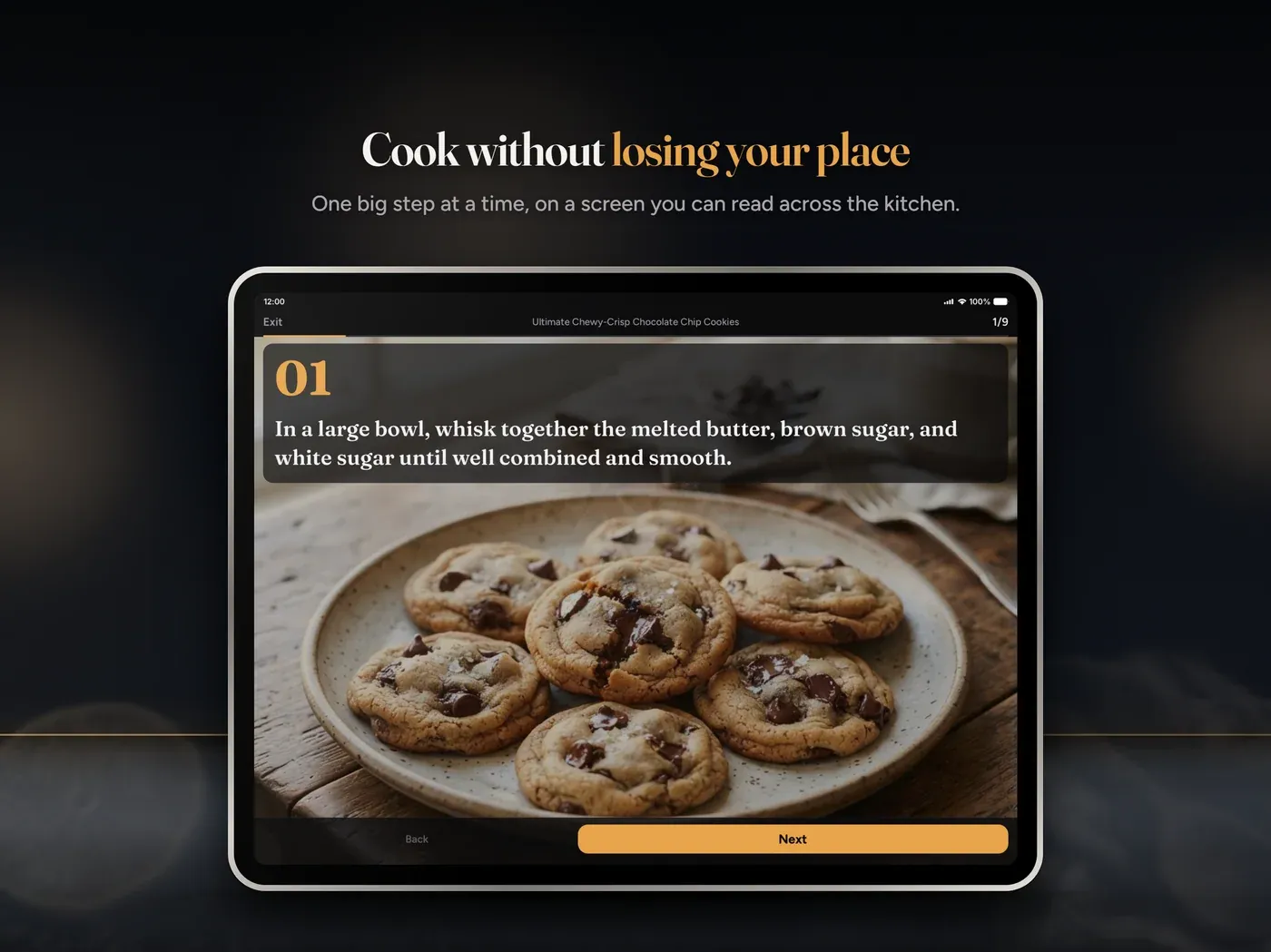
Read Cook Mode for the platform differences.
Share a recipe or a whole kitchen library
Not every form of sharing should work the same way.
For one recipe, create a public share link. Anyone with the URL can read the recipe on chefskiss.io without an account. You can copy it, send it, optionally keep it updated as your source recipe changes, and revoke it later. This is the clean answer for “send me that recipe” because the recipient gets a usable page instead of seven screenshots.
For an ongoing household collection, Pro members can create a shared library on mobile for up to six seats. Other signed-in users can request to join, including Free users. The owner approves the request, and members can cook from the same collection. Local Unlock is not a good fit here because shared libraries depend on cloud sync.
Shared recipes and shared libraries solve different problems. Use a public link for a dish. Use a shared library when several people are maintaining the cookbook together.
The guides are Shared links and Shared libraries.
Diet and allergy preferences travel with the cook
Chef’s Kiss lets you record a diet style, common or custom allergies, and free-text preferences for foods you prefer or avoid. Those settings are used as context for Import and Chef so the first result starts closer to your actual kitchen.
The list covers common patterns such as vegetarian, vegan, pescatarian, keto, Mediterranean, gluten-free, dairy-free, low sodium, low FODMAP, kosher, halal, and custom requirements. Preferences sync when you are signed in on a cloud plan.
These controls are context, not a guarantee. If an allergy is serious, inspect the source, every ingredient label, cross-contamination warning, and any suggested substitute yourself. The app does not sell dietary preferences and does not send them to Google Ads or AdMob for custom targeting.
Plans without pretending every cook needs Pro
Chef’s Kiss has four plan shapes. The right one depends on library size, ads, AI usage, sharing, and whether all kitchen workflows need to sync.
Free
Free is a real starting plan, not a timed demo. A signed-in Free user gets cloud sync for the recipe library and pantry, a practical recipe cap, standard Chef usage, and the core import, organization, planning, shopping, and cooking tools. Meal plans and shopping lists stay on the individual device or browser. Ads support the free tier.
Referrals add recipe slots to the Free cap for both people. Kitchen Level streak milestones can also unlock additional slots. If your cookbook is modest and only one device handles planning, Free may be enough.
Local Unlock
Local Unlock is a one-time in-app purchase for people who want a much larger recipe library without a recurring subscription. It remains device-only and continues to use the Free Chef budget. It does not remove ads, does not turn on cloud recipe or pantry sync, and does not sync meal planning or shopping.
That is not a hidden footnote. “Local” describes the product. Buy it when one device is the intended home of the cookbook. Choose a cloud plan when the web, phone, and tablet all need the same current data.
Plus
Plus removes ads, raises the recipe and Chef limits, extends Chef history, and adds cross-device sync for meal plans and shopping lists. It can also create collaborative shared shopping lists. For a household that wants to plan on the web and shop on a phone, Plus is the natural middle tier.
Pro
Pro has the highest library and Chef limits, long history, the synced planning features in Plus, and the ability to create shared recipe libraries. It is for large collections, heavier assistant use, and households that actively maintain one shared cookbook.
Subscriptions and Local Unlock are purchased through the App Store or Google Play in the mobile apps. The web companion reads the resulting entitlement but does not process billing. Trial eligibility, current pricing, renewal terms, and localized currency come from the store and should be reviewed on the purchase screen.
The comparison stays current in Plans overview.
Who Chef’s Kiss is for
The feature list is broad, but the useful use cases are concrete.
The browser-tab collector
You already know how to find recipes. You need a place to keep the good ones after the tab closes. Use web import at a desk, review the cards quickly, organize keepers into folders, and open the synced phone library at dinner.
The family-recipe archivist
Photograph printed and handwritten recipes, preserve the original images separately, correct the extraction, and share clean links with relatives. A structured card makes Grandma’s recipe searchable and scalable without pretending the stained original is not part of the history.
The weekly planner
Choose meals in one sitting, build the list from recipe ingredients, subtract pantry stock, and shop once. Plus makes this especially useful because the web plan and phone list stay aligned.
The household with several cooks
Use shared shopping for the live grocery run and a Pro shared library for the recipes everyone maintains. Public links handle occasional sharing outside the household without requiring every recipient to install the app.
The cook managing preferences
Set diet and allergy context once, then use Chef for substitutions and recipe remixes. Review every critical result, but stop retyping the same preferences at the start of each conversation.
The person leaving another recipe app
Import a Paprika or Recipe Keeper collection on mobile, clean duplicates, export a Chef’s Kiss backup, and keep the old source until you have verified the move. Migration should be boring and reversible.
The cook who wants help, not a personality
Open Chef from the exact recipe that needs attention. Ask one practical question, save a useful change, and return to cooking. The assistant is there to resolve friction, not demand a conversation every time you open the app.
What is mobile-only today
“Available on the web” does not mean every mobile capability was copied into a browser. These features currently require the iOS or Android app:
- Camera and photo-library recipe import
- Receipt and barcode pantry capture
- Full Cook Mode for personal library recipes
- iOS Live Activities and Android ongoing timer notifications
- Apple Watch cook handoff
- Shared-library creation and join management
- Collaborative shared-shopping management
- Paprika, Recipe Keeper, and library file import/export
- Purchases and subscription upgrades
- The complete notification, language, ad, and usage settings
The web companion covers the workflows that benefit most from a keyboard and desktop: library search, URL and YouTube import, manual creation and editing, Discover, recipe scaling, folders, pantry entry, meal planning, personal shopping, Chef, dietary preferences, sharing, and account settings.
We will keep closing useful gaps, but I would rather label the boundary clearly than call two surfaces identical when they are not.
A few honest limits
Chef’s Kiss is ready for general availability. It is not finished forever.
- Imports need review. Poor source pages, unclear handwriting, and videos without measurements can produce incomplete cards.
- Calories are estimates. Ingredient brands, actual portions, cooking loss, and substitutions change the result.
- AI advice can be wrong. Verify food safety, allergens, medical dietary requirements, and unfamiliar techniques.
- Free sync has a boundary. Recipe and pantry sync are included when signed in, but meal plan and shopping sync require Plus or Pro.
- Local means local. The one-time Local Unlock does not provide cloud sync and is not the plan for a multi-device household.
- Some tools remain mobile-only. Camera capture, personal Cook Mode, billing, watch support, and several sharing and migration controls need the app.
- Your pantry only knows what you tell it. A perfect shopping list still depends on reasonably current stock.
Those are product boundaries, not reasons to hide the product. Chef’s Kiss should earn trust by being useful and precise about what it does.
A ten-minute way to start
Do not begin by migrating 2,000 recipes. Prove the workflow with dinner.
- Install the iPhone or iPad app, install the Android app, or open the web companion.
- Create an account and use the same sign-in on every device you want connected.
- Import one recipe from a link you already trust.
- Review the ingredients, steps, servings, and calories before saving.
- Add it to a useful folder such as This Week.
- Put it on the meal plan.
- Add the pantry items you already know you have.
- Rebuild the shopping list and check the subtraction.
- On mobile, open Cook Mode when it is time to make the dish.
- Ask Chef one real question about the recipe, not a demo prompt invented for the occasion.
If that loop saves time, bring in more of your collection. If it reveals a weak import, report it. General availability means we are comfortable putting Chef’s Kiss in front of everyone; it does not mean we stop listening.
Links worth keeping
- Chef’s Kiss homepage
- Web companion
- Public recipe catalog
- Complete product wiki
- Install and sign in
- Mobile vs web
- Plans overview
- Apple App Store
- Google Play
- Contact and support
Bottom line
Chef’s Kiss is now generally available because the whole path works: bring in a recipe, make it yours, organize it, plan it, shop for it, and cook it. The assistant can suggest, substitute, explain, remix, and plan, but the cookbook remains the center of the product.
Use the web companion when a keyboard and large screen make the job easier. Use the mobile app when the camera, store, timer, notifications, or Cook Mode matter. Sign in with the same cloud account and supported data moves between them. If you choose the one-time Local Unlock, choose it because you want a device-only cookbook, not because you expect cloud sync later.
That is the product we wanted to ship: less time looking for dinner, more time actually making it.